
Smart Home · Comparison
Smart lighting is not one product category. It is three, and they are sold as if they were interchangeable. A bulb, a strip and a panel do completely different jobs, and buying the wrong one is why so many people end up with a room that is lit badly and decorated expensively.
The clearest way to think about it is by job. General room lighting, accent and bias lighting, and a wall feature are three separate problems with three separate solutions.
Three jobs, three products
General room light is the job a bulb does. It needs to be bright enough to read by, controllable from a switch or an app, and it needs to work for every seat in the room. This is the least glamorous and most important of the three.
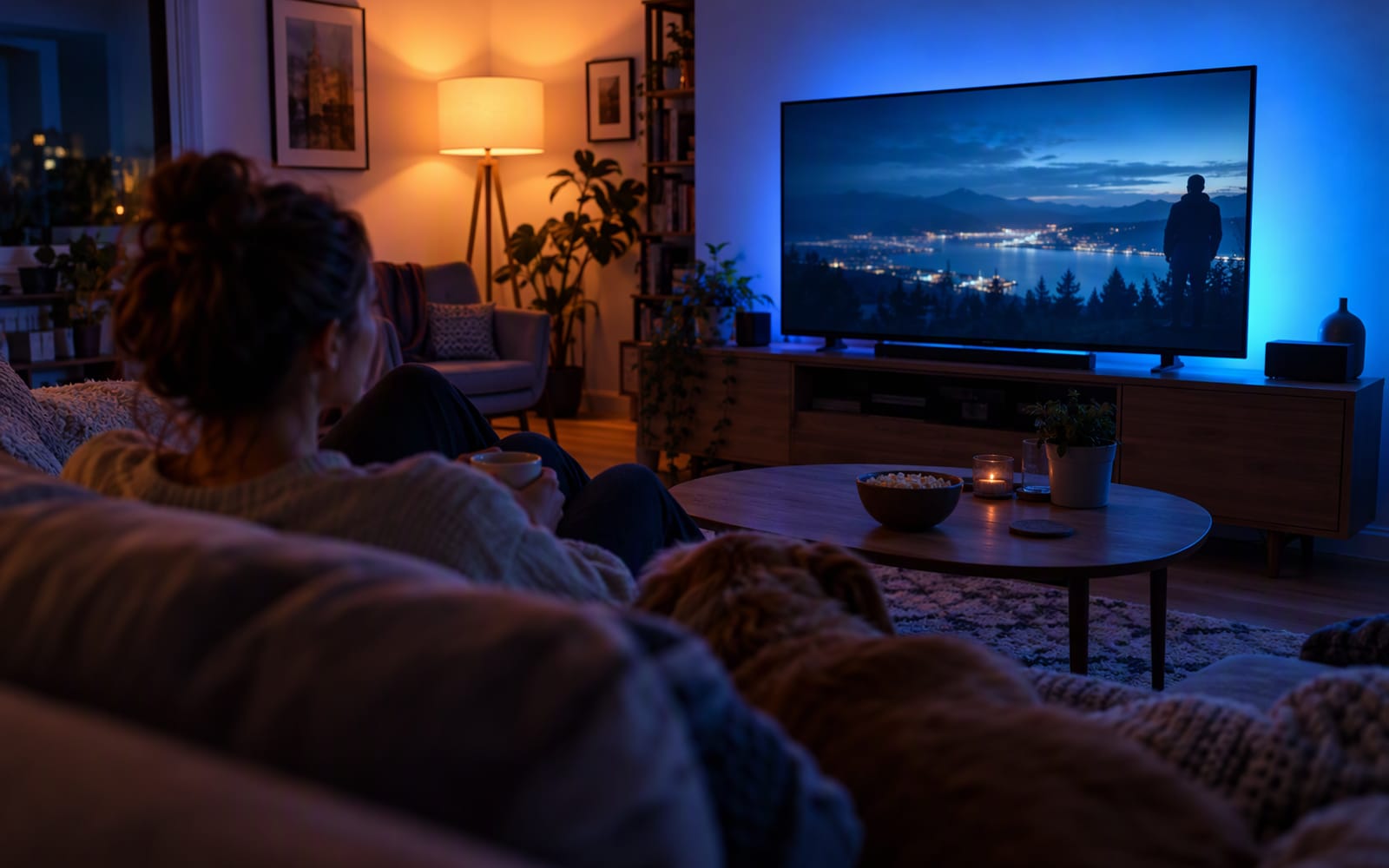
Accent and bias light is the job a strip does. It sits behind a television, under a shelf or along the back of a desk, and it exists to add depth and colour rather than to illuminate a space. Its value is atmosphere and contrast, not brightness.
A wall feature is the job a panel system does. It is decoration that happens to emit light, and it works as a background for video calls or a focal point in a room. It is the most expensive way to light anything, and it is not trying to be anything else.
Confusing these three is the single most common mistake. A panel cannot light a room. A bulb cannot create an accent glow. A strip cannot replace a ceiling light.
Zigbee mesh versus Wi-Fi congestion
The bulbs and the strip you are comparing probably use different wireless protocols, and this matters more as you add devices.
The Philips Hue system uses Zigbee, with a bridge that plugs into your router. The bulbs talk to the bridge, and the bridge talks to your network, so you are not adding a Wi-Fi client for every bulb. In a flat where the router is already handling phones, laptops, a television and a couple of smart plugs, that difference is real: Zigbee keeps the lighting off your Wi-Fi entirely and responds noticeably faster.
The strip and the panels typically connect over Wi-Fi directly. That is simpler, because there is no bridge to buy or power, but it means each device is another client on the network. One strip is fine. Several, alongside everything else, is where people start noticing delays.
Rule of thumb. If you are lighting a whole room with several bulbs, use a hub-based system. If you are adding one accent device, direct Wi-Fi is simpler and cheaper.
The per-bulb cost of lighting a whole room
This is the figure that surprises people. A smart bulb is priced per bulb, and a room with a multi-bulb fixture or several lamps needs several of them. The total for one room can easily exceed what you expected to spend on lighting for the whole flat.
That does not make bulbs bad value — the reliability and the quality of the light are the reason people commit. But it does mean the decision should be made per room, not per house. Smart bulbs in the two rooms you actually use, with ordinary bulbs elsewhere, is the approach that keeps the cost sensible. Buying colour bulbs for every fitting in the property is how a lighting project turns into a very expensive habit.
Adhesive failure on textured walls
The strip is the product with the most predictable failure, and it is not the electronics. The adhesive included with LED strips holds well on smooth, sealed, painted surfaces and fails on textured ones. On a rough plaster finish, a brick-effect wall or a wall with any relief to it, the strip will lift, sag and eventually peel away.
The fix is cheap and worth planning for: mounting clips, a cable channel or a strip designed to sit in a track. Budget for that from the start rather than discovering it after the strip is already on the wall.
Panels are a different proposition. Their mounting is semi-permanent, using adhesive pads or small fixings, and removing them may affect the paint. In a rented flat, that is a genuine consideration before you commit to a wall layout.
Side by side
| Smart bulbs | LED strips | Light panels | |
|---|---|---|---|
| Primary job | General room lighting | Accent and bias lighting | Wall feature and background |
| Typical protocol | Zigbee through a bridge | Wi-Fi direct | Wi-Fi direct |
| How it scales | Per bulb — cost adds up across a room | One strip covers a run | Per panel — the most expensive option |
| Best at | Lighting a room properly | Adding depth behind a screen | Being a focal point |
| Main weakness | Cost across many fittings | Adhesive fails on textured walls | Overkill as general lighting |
| Renting risk | Low — bulbs come with you | Low, if you use clips rather than adhesive | Moderate — mounting is semi-permanent |
Our picks
One product for each job. Prices vary between retailers and change regularly, so confirm the current figure with the merchant.
Philips Hue White & Colour Starter Kit
The one to buy for general room lighting. It is expensive per bulb and worth it if you commit, because the Zigbee mesh is more reliable than Wi-Fi bulbs, scenes change instantly rather than lagging, and the platform has a long record of staying supported. What you give up is money, and the bridge is required for the full feature set. Buy it for the rooms you use most, not the whole property.
Govee RGBIC LED Strip
The one to buy for accent and bias lighting. RGBIC means multiple colours along a single strip, which is what makes a scene look designed rather than like one long line of the same colour, and it is the cheapest way to change how a room feels. The trade-off is the adhesive, which fails on textured walls, and a bulky power supply. Budget for mounting clips.
Nanoleaf Shapes Hexagons
The one to buy when you want a wall feature rather than lighting. Nothing else in this category looks like it, the screen-mirroring modes work well for gaming, and the system expands over time. What you give up is efficiency: it is an expensive way to light a room, the mounting is semi-permanent, and as general lighting it is entirely the wrong tool.
What not to overpay for
- Colour in every bulb. Colour is worth having in the rooms where you will actually use it. Elsewhere, tunable white is cheaper and more useful.
- Brightness you will never use. Very bright bulbs are useful in a kitchen and pointless in a bedside lamp.
- Extra panels before you have a layout. Panel systems are modular, and a design planned on the wall beats one assembled from a growing pile of boxes.
- A bridge for a single strip. If you are adding one accent device, direct Wi-Fi is the simpler answer.
When you should not buy anything
If your problem is that a room is dark, smart lighting will not fix it. Brightness comes from the fixture and the bulb’s output, not from the app, and a smart bulb in an underpowered lamp is still an underpowered lamp. Fix the fixture first.
And if you have never wanted to change the colour of a light, or schedule one, the honest answer is that ordinary bulbs and a couple of well-placed lamps will do everything you need. Smart lighting is worth it when the control is the point — scenes, schedules, sunset routines — and not before.
Our picks
These are the models we would shortlist for the scenarios in this article. Each entry shows the published specification highlights, what the product is genuinely good at, and what you give up.
Philips Hue White & Colour Starter Kit
Philips Hue
Expensive per bulb and worth it if you commit. The Zigbee mesh is more reliable than Wi-Fi bulbs, scenes are instant rather than laggy, and the ecosystem will still be supported in five years.
What it does well
- Most reliable consumer smart lighting
- Instant response with no Wi-Fi congestion
- Long-term platform support record
What to accept
- Premium pricing per bulb
- Bridge required for full features
- Easy to keep buying more
Best for: Whole-room lighting · Renters who want reliable scenes · HomeKit users
Published specs: Smart bulbs with a Zigbee bridge; 16 million colours plus tunable white; Scenes, schedules and automations; Wide smart home platform support.
Last checked: 2026-09-24
Govee RGBIC LED Strip
Govee
RGBIC means multiple colours along a single strip, which is what makes it look like a designed scene rather than a strip of one colour. Adhesive is the weak point — budget for mounting clips.
What it does well
- Multiple colours on one strip
- Cheap way to transform a room
- Music sync modes are fun
What to accept
- Included adhesive fails on textured walls
- Power supply is bulky
- Music sync can be gimmicky
Best for: Desk backlighting · TV bias lighting · Bedroom accents
Published specs: Addressable RGBIC LED strip; App control with music sync; Cuttable and extendable; Works with major voice assistants.
Last checked: 2026-09-24
Nanoleaf Shapes Hexagons
Nanoleaf
A design decision as much as a lighting one. If you want a wall feature that doubles as a light source and a call background, nothing else does the job as cleanly — but it is an expensive way to light a room.
What it does well
- Distinctive look no other product matches
- Screen mirroring works well for gaming
- Expandable over time
What to accept
- Expensive per panel
- Mounting is semi-permanent
- Overkill as general room lighting
Best for: Streaming backgrounds · Home offices · Gaming rooms
Published specs: Modular hexagonal light panels; Touch-reactive and screen-mirroring modes; Expandable with additional panels; Wall or ceiling mounting.
Last checked: 2026-09-24
Frequently asked questions
Do smart bulbs need a hub?
Not all of them, but the hub-based systems are the ones that tend to be more reliable once you have several bulbs in one room. The Philips Hue system uses a bridge that connects to your router, so the bulbs talk to the bridge over Zigbee rather than each joining your Wi-Fi directly. Some budget bulbs connect over Wi-Fi with no hub at all, which is simpler but adds a client to your network for every bulb.
Are Wi-Fi smart lights worse than Zigbee?
Not worse, but different. Wi-Fi is simpler because there is no bridge to buy or power, which makes sense for one or two accent devices. Zigbee keeps the lighting off your Wi-Fi entirely and responds faster once you have several bulbs, which matters in a flat where the router is already handling phones, laptops and a television.
Will LED strips damage my wall?
The strip itself is unlikely to cause damage, but the adhesive can. It holds well on smooth, sealed surfaces and fails on textured finishes such as rough plaster or a brick-effect wall, where the strip will lift and sag. Mounting clips or a cable channel solve this, and they are worth buying at the same time as the strip rather than afterwards.
Which should I buy first?
Start with whichever of the three jobs you actually have. If a room is dark, buy bulbs, because that is the only one of the three that provides real general lighting. If you want atmosphere behind a television or a desk, buy a strip. Buy panels last, and only if you want a wall feature rather than more light.
Related
Smart Home
Smart Plugs: The Cheapest Way to Start a Smart Home
A smart plug is the cheapest, least disruptive way into home automation. Here is what matters, what to ignore, and which three plugs we would shortlist.
Smart Home
Best Robot Vacuums for Pet Owners
Pet hair is the hardest test a robot vacuum faces. Here is what to look for, what to ignore, and the three models we would shortlist for a home with animals.
Smart Home
Smart Doorbells for Renters (No Drilling Required)
Battery doorbells let renters add a video doorbell without drilling or an electrician. Here is how to choose one, and where the honest limits are.