Laptops & Computing · Explainer
A shared flat with no spare room has a particular way of concentrating your computing. The desk is a corner of the bedroom, the laptop is a gaming machine that runs hot under load, and in summer the room is already warm before the fans even start. The laptop ends up on the bed, or on a cushion, or on a lap — all soft surfaces that press against the underside and block the vents.
That is the situation where the question “do cooling pads actually work?” gets asked, and the honest answer depends almost entirely on what is underneath your specific laptop.
The physics, without the marketing
A laptop manages heat with two mechanisms. It moves heat away from the chip using a heatsink and fan, and it gets rid of that heat by pushing warm air out through vents.
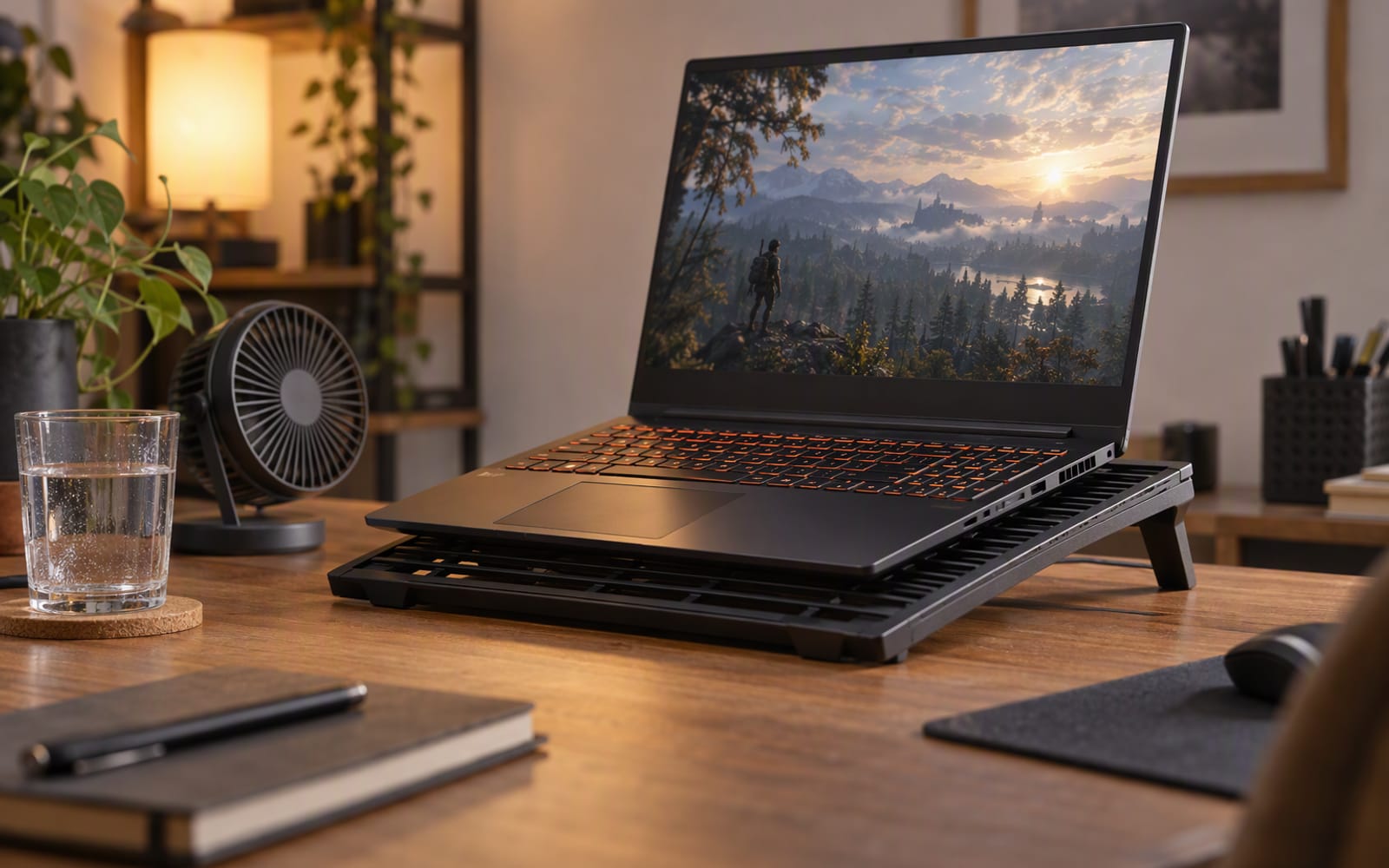
Most laptops also pull cool air in through the bottom of the chassis. That intake is the part a cooling pad can influence. A pad lifts the machine off whatever surface it is resting on and blows air at the underside, which helps the intake do its job.
None of that changes the internal limit. If the chip generates more heat than the heatsink and fan can move, external airflow cannot help, because the bottleneck is inside the chassis, not underneath it.
Rule of thumb. A cooling pad is a fix for a blocked intake, not a fix for a hot chip. If the air cannot get in, a pad helps. If the heat cannot get out, it does not.
The three conditions where a pad helps
A cooling pad earns its place when all three of these are true:
- The laptop draws air in through the bottom. Many gaming laptops do; some thin laptops do not.
- It is sitting on a soft or blocking surface. A duvet, a cushion, a lap or a bed presses against the intake.
- It is already running hot under load. A laptop that is cool and quiet has nothing to gain.
When all three line up, lifting the machine and feeding the intake is a real improvement, and the effect is most obvious on a laptop that was struggling.
The condition where it does nothing
The opposite case is just as clear. Some laptops have no vents on the bottom at all. Their intake and exhaust are both at the rear hinge, or along the sides. These are often the thin, quiet machines, and they are designed so that the surface they sit on is irrelevant.
For that kind of chassis, a cooling pad is a stand. It may improve your typing angle and it may look purposeful, but it will not meaningfully change temperatures, because there is no intake on the bottom for it to feed.
If you are unsure which category your laptop falls into, turn it over. If you can see a grille or vents on the underside, a pad can help. If the underside is solid, it cannot.
Noise is the real cost
Here is the trade-off that the specifications rarely make clear. A cooling pad is a fan, and a fan makes noise. The models that move the most air are usually the models you can hear from across a room, and in a shared flat or a bedroom that cost is paid every single time you use the machine.
This is the actual decision most buyers face: how much airflow are you willing to trade for how much quiet? A five-fan pad running at full speed will move more air than a two-fan design turning slowly, and it will also be the one you turn off at night.
There is also a subtler cost. A noisy pad can mask the sound of your laptop’s own fans, which is how people end up with both running hard at once. If the point was to make the machine quieter, adding a loud fan has not achieved it.
Our picks, and the trade each one makes
TopMate C302 Laptop Cooling Pad is the straightforward, budget option: five fans, adjustable speed and height, and enough airflow to make a difference on a laptop whose intake is starved. What you give up is quiet — at full speed the fans are clearly audible — and any benefit on a laptop with a sealed underside, where it becomes little more than a stand.
Llano V12 Laptop Cooling Pad makes the opposite trade. Its large, low-speed fans are designed to be quieter than a typical pad, which is exactly what you want if someone else shares the room or you use the machine late at night. What you give up is peak airflow, along with a large footprint on a small desk, and it draws its power from a USB port.
| Pad | Approach | Best for | What you give up |
|---|---|---|---|
| TopMate C302 | Five fans, high airflow | Hot machines with a bottom intake | Quiet; little effect on sealed chassis |
| Llano V12 | Large low-speed fans | Shared rooms and late-night use | Peak airflow; desk space |
What helps more than a pad
If your goal is genuinely lower temperatures, these actions usually matter more than any external accessory:
- Raise the rear of the laptop. Even a couple of centimetres of clearance under the intake can make a difference, and a simple stand does this without adding noise.
- Clear the dust. Vents and fans clog over time, and a blocked heatsink is a far bigger problem than a blocked intake. Compressed air and a soft brush, used carefully, restore a surprising amount of cooling on an older machine.
- Reduce the heat at the source. Power limits and similar software settings let you cap how hard the chip runs, which lowers temperatures directly rather than trying to remove heat after the fact.
- Replace the thermal paste on an older laptop. Over several years the paste between the chip and the heatsink can dry out and lose effectiveness. This is a job for someone comfortable opening a machine, and on a well-used laptop it often helps more than any external cooling.
When the honest answer is do not buy anything
If your laptop is not actually throttling — if it runs warm but performs consistently — a cooling pad is solving a problem you do not have, and the noise is a cost you will pay for nothing.
If your laptop has a sealed bottom with no underside vents, a pad will not help, and a simple stand at a fraction of the price will do everything the pad would have done.
And if the real issue is that the machine is old and always hot, the honest recommendation is not an accessory at all. Cleaning it out, or accepting that a five-year-old machine runs warm, will serve you better than a fan you will eventually stop switching on.
Our picks
These are the models we would shortlist for the scenarios in this article. Each entry shows the published specification highlights, what the product is genuinely good at, and what you give up.
TopMate C302 Laptop Cooling Pad
TopMate
A cooling pad helps most when your laptop already has an intake it can breathe through and you are lifting it off a soft surface. It cannot rescue a badly designed chassis, and that is the honest limit of the category.
What it does well
- Noticeable surface temperature drop on hot machines
- Adjustable tilt improves typing angle
- Cheap
What to accept
- Audible fan noise at full speed
- Little effect on laptops with sealed bottoms
- Bulky to travel with
Best for: Gaming laptops · Hot rooms · Older machines that throttle
Published specs: Five-fan laptop cooling pad; Adjustable fan speed and height; USB pass-through power; Fits laptops up to around 17 inches.
Last checked: 2026-09-20
Llano V12 Laptop Cooling Pad
Llano
The point of this one is that it is quiet. Most cooling pads work by brute force and sound like it; this trades a little peak airflow for a fan you can live with while someone else is in the room.
What it does well
- Audibly quieter than typical cooling pads
- Measurable surface temperature reduction
- Comfortable typing angle
What to accept
- Less peak airflow than noisier designs
- Large footprint
- Powered by a USB port
Best for: Gaming laptops · Shared rooms · Long sessions
Published specs: Laptop cooling pad with large low-speed fans; Adjustable fan speed; Adjustable height and tilt; Fits laptops up to around 17 inches.
Last checked: 2026-09-20
Frequently asked questions
Do cooling pads really lower laptop temperatures?
They can, but only under specific conditions. A pad helps most when your laptop draws air in through the bottom, when it is sitting on a soft surface that blocks that intake, and when it is already running hot under load. Under those conditions, lifting the machine and pushing air at the underside genuinely helps. For a laptop with a sealed bottom and no vents underneath, a pad does almost nothing beyond acting as a stand.
Will a cooling pad stop my laptop from throttling?
Sometimes, and only partly. Throttling happens when the processor reaches a temperature limit and reduces its own speed to stay safe. If the cause is a blocked intake that a pad can unblock, the pad will help. If the cause is a chassis that simply cannot move enough heat away from the chip, no amount of external airflow will fix it, because the bottleneck is inside the machine rather than underneath it.
Is it safe to run a laptop on a cooling pad all the time?
Yes, with one caveat. The pad itself is harmless, and the raised angle is usually better for your posture than a flat laptop. The caveat is dust: more airflow through the underside can pull more dust into the vents over time, so it is worth cleaning the vents more often than you otherwise would. That is a maintenance note, not a reason to avoid a pad.
What helps more than a cooling pad?
Raising the rear of the laptop so air can flow underneath, clearing dust out of the vents and fans, and reducing the heat the chip produces in the first place through software settings such as power limits. On an older machine, replacing the thermal paste between the chip and its heatsink can help more than any external accessory. All of these address the cause rather than the symptom.
Related

Computing
Best Laptops for Students Who Commute Every Day
Commuting to campus every day changes what matters in a student laptop: weight, battery, silence and how it survives a rucksack. Here is how to choose.

Computing
How Much RAM Do You Actually Need in 2026?
The honest answer on laptop memory in 2026: why soldered RAM changes the calculation, when 16 GB is enough, and when it genuinely is not.

Computing
Best Portable Monitors for Remote Work and Travel
A second screen for hotel rooms and kitchen tables. How USB-C power, colour accuracy and touch input change what a portable monitor is worth.